| Primary billing job | Microsoft billing workflowA focused Microsoft billing layer for licences, Azure, managed users, contacts, and custom recurring services while the supported PSA remains the invoicing system of record.[6][2][5] | Cloud distribution workflowSherweb: Cloud distribution, provisioning, and catalogue-subscription billing automation into supported PSA platforms.[9][7] | Start with the operational problem each product is designed to own before comparing individual features. |
|---|
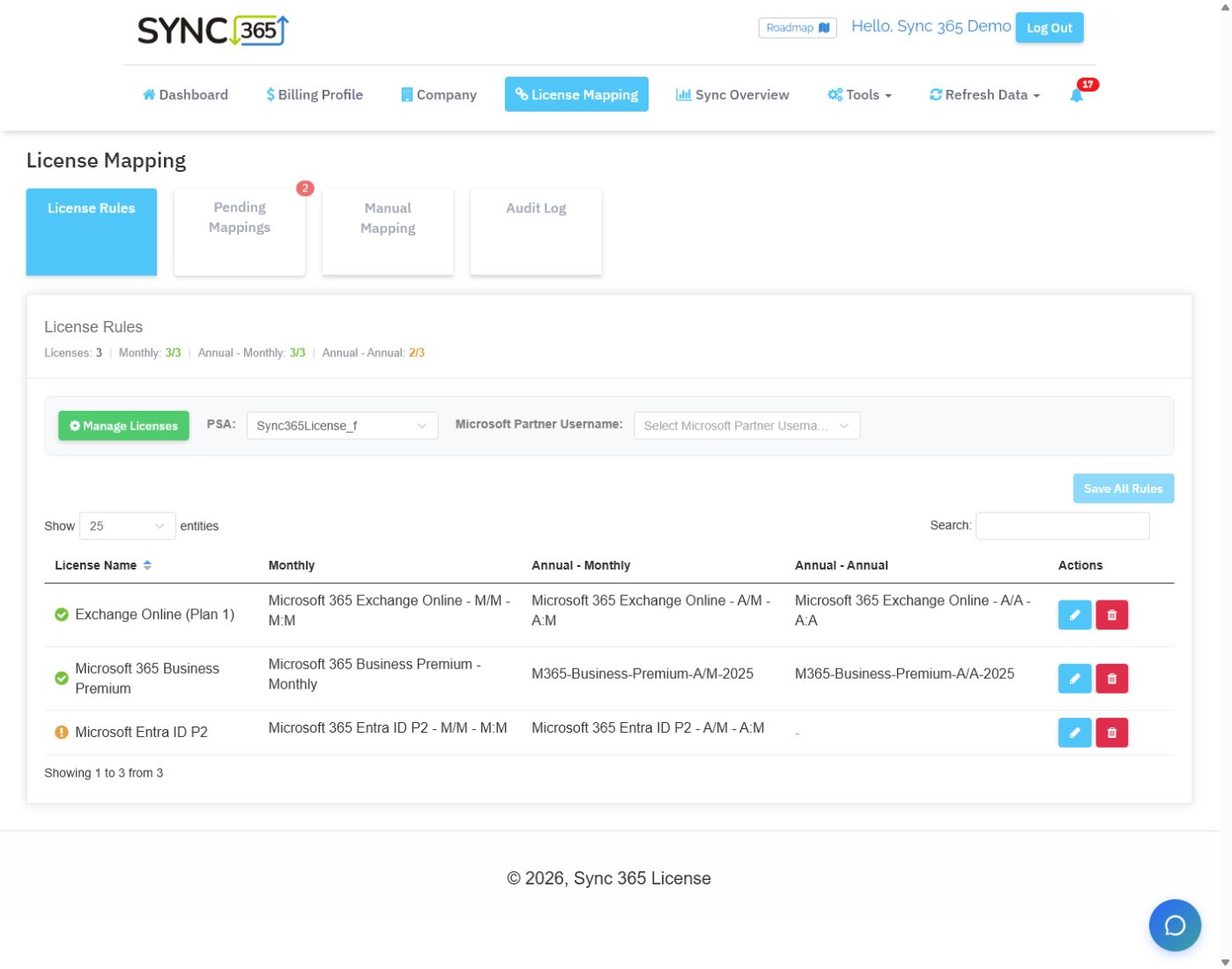
| New subscription mapping | Term-aware AutoMap routingAutoMap applies reusable Microsoft licence and commitment-term rules to matching new subscriptions, routing each to the configured billing profile and PSA destination automatically or pending review.[1] | PSA-specific catalogue mappingSherweb documents PSA-specific mapping. HaloPSA can automatically map exact matching supplier SKUs, while ConnectWise setup requires offer, product, organisation, company, and agreement choices.[10][8] | A reusable mapping rule reduces the chance that a newly appearing subscription waits for another manual setup step before billing cutoff. |
|---|
| Custom recurring services | Managed-service quantity rulesA configured Microsoft or managed-user count can keep support, backup, antivirus, security, filtering, and other related recurring PSA lines aligned.[2] | Catalogue offer automationSherweb automates supported catalogue offers. Sync 365 should be tested when one managed-user count must keep support, backup, security, and filtering lines aligned outside the distributor catalogue.[7][8] | MSPs often sell a service bundle around each user, not only the underlying Microsoft licence. |
|---|
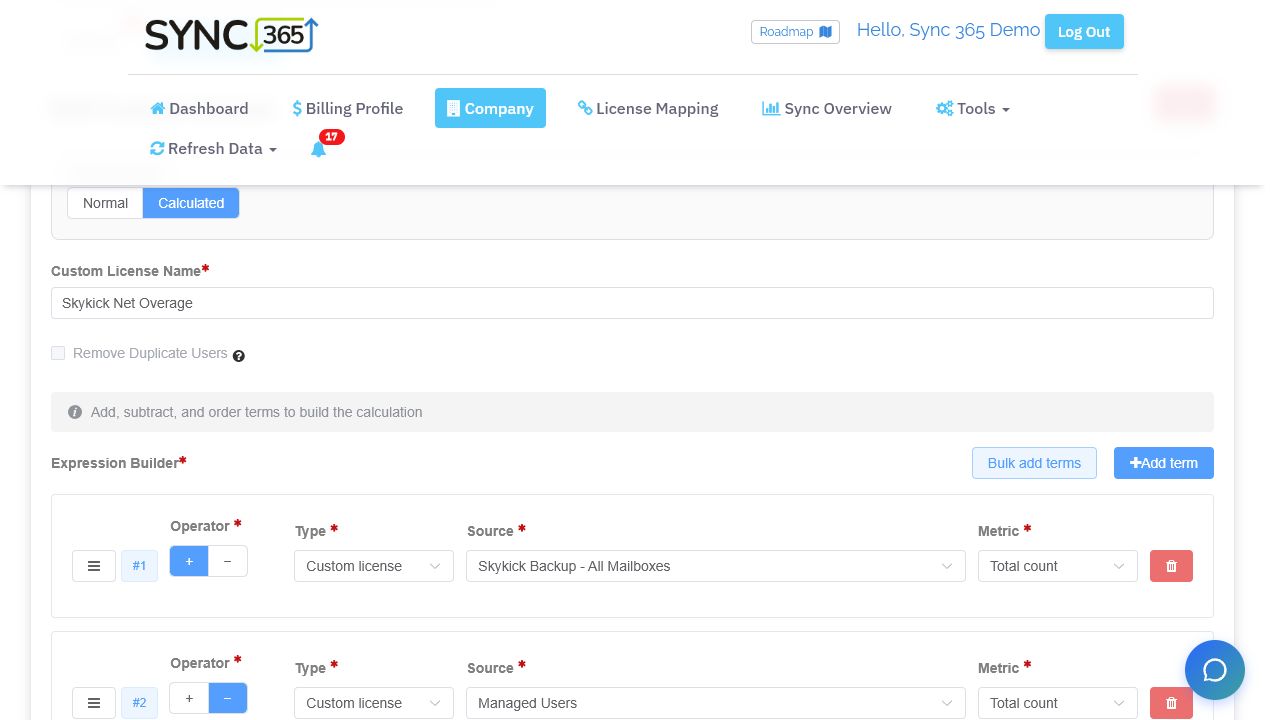
| Calculated quantities and overage | Bundle and overage formulasCalculated custom licences add and subtract Microsoft licences, subscriptions, users, custom licences, or fixed values to produce bundles, included-seat deductions, and overage quantities.[3] | No documented expression builderThe reviewed Sherweb material does not describe an add-and-subtract Microsoft or user expression builder for included quantities, bundles, overages, minimums, and duplicate removal.[7][8][10] | The correct quantity may be a formula—such as protected mailboxes minus users already included in the bundle—not a copied vendor count. |
|---|
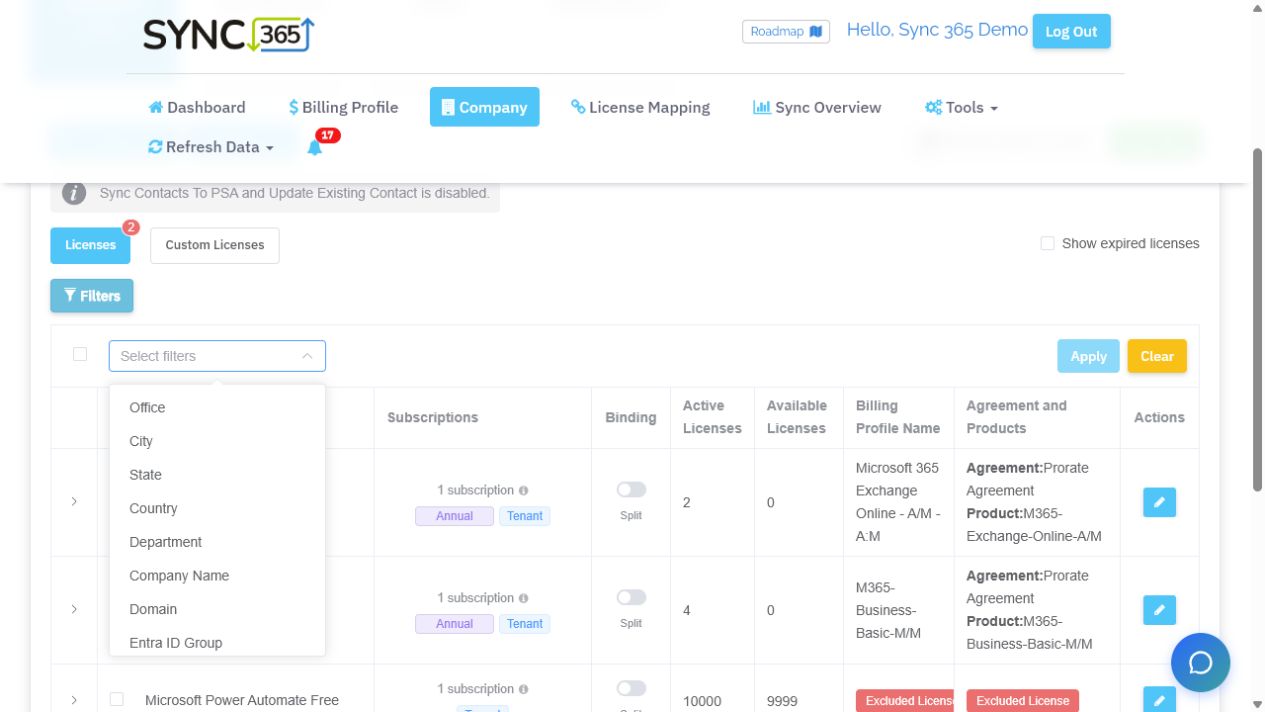
| Location, department, and split billing | Attribute-based billing splitsOffice, city, state, country, department, company, domain, Entra group, and custom attributes can split one tenant into separate billable populations and PSA records.[4] | Offer-to-PSA mappingSherweb maps organisations and offers into PSA records. The reviewed material does not describe deriving several quantities from one tenant using department, location, domain, Entra group, or custom attributes.[8][10] | One Microsoft tenant can represent several sites, departments, franchises, cost centres, or legal billing entities. |
|---|
| Azure consumption workflow | Azure review and markupAzure consumption can move through billing profiles, markup, billing-period review, approval or configured auto-approval, and supported PSA posting.[5] | Offer-dependent Azure syncSherweb supports Azure offers and PSA integrations, with timing and initial-sync behaviour depending on the product and PSA. Compare those specifics with Sync 365’s dedicated markup, approval, and posting controls.[11][12] | Azure comparison should include data timing, markup, period review, approval, exception handling, and the final PSA record—not only ingestion. |
|---|
| PSA ownership and scope | PSA as invoice ownerSync 365 supports ConnectWise Manage, Autotask PSA, and HaloPSA workflows while the PSA remains responsible for invoices.[6] | PSA-specific sync behaviourSherweb supports ConnectWise, Autotask, and HaloPSA, but mapping, pricing, proration, and sync timing vary by PSA and offer type.[7][8][10] | Clear system ownership prevents overlapping automations and keeps finance confident about which record becomes the invoice. |
|---|