| Primary billing job | Product-managed billing workflowA focused Microsoft billing layer for licences, Azure, managed users, contacts, and custom recurring services while the supported PSA remains the invoicing system of record.[6][2][5] | MSP-built integrationPowerShell scripts: A bespoke integration assembled and maintained by the MSP engineering team.[7][8] | The build decision includes every future test, dependency update, incident, and handover—not only the first working version. |
|---|
| Change monitoring and proof of completion | Maintained product workflowSync 365 packages Microsoft-to-PSA mappings, review states, and supported update workflows as maintained product configuration. The MSP still owns its commercial policy and exceptions without also maintaining the integration codebase.[1][6] | MSP-owned monitoringPowerShell scripts make the MSP responsible for tracking Microsoft, module, authentication, and PSA changes, then testing and deploying fixes. They also need explicit logs, error-stream checks, alerts, output reconciliation, and a responder. Microsoft documents API retirement, upgrades that can require script changes, and Automation jobs that can complete with non-terminating errors.[14][17][10][18][15] | A script can run on schedule yet return incomplete data or fail a downstream update. Billing needs a named change owner and customer-level proof—not only a green scheduler status. |
|---|
| Knowledge and staff continuity | Shared product configurationSync 365 keeps reusable billing rules, customer destinations, and review choices in a shared product workflow. The MSP should still document its commercial policy, but another trained operator is not starting from an undocumented codebase.[1][2][3][4] | Author-dependent knowledgePowerShell scripts can become key-person dependent when mappings, assumptions, credentials, scheduler location, exception handling, and recovery steps live mainly with the author. Microsoft migration guidance begins by documenting each script's purpose, location, frequency, importance, and cmdlets.[16] | If the author is unavailable or leaves, billing still has a deadline. A backup owner must be able to diagnose, change, test, deploy, and roll back safely. |
|---|
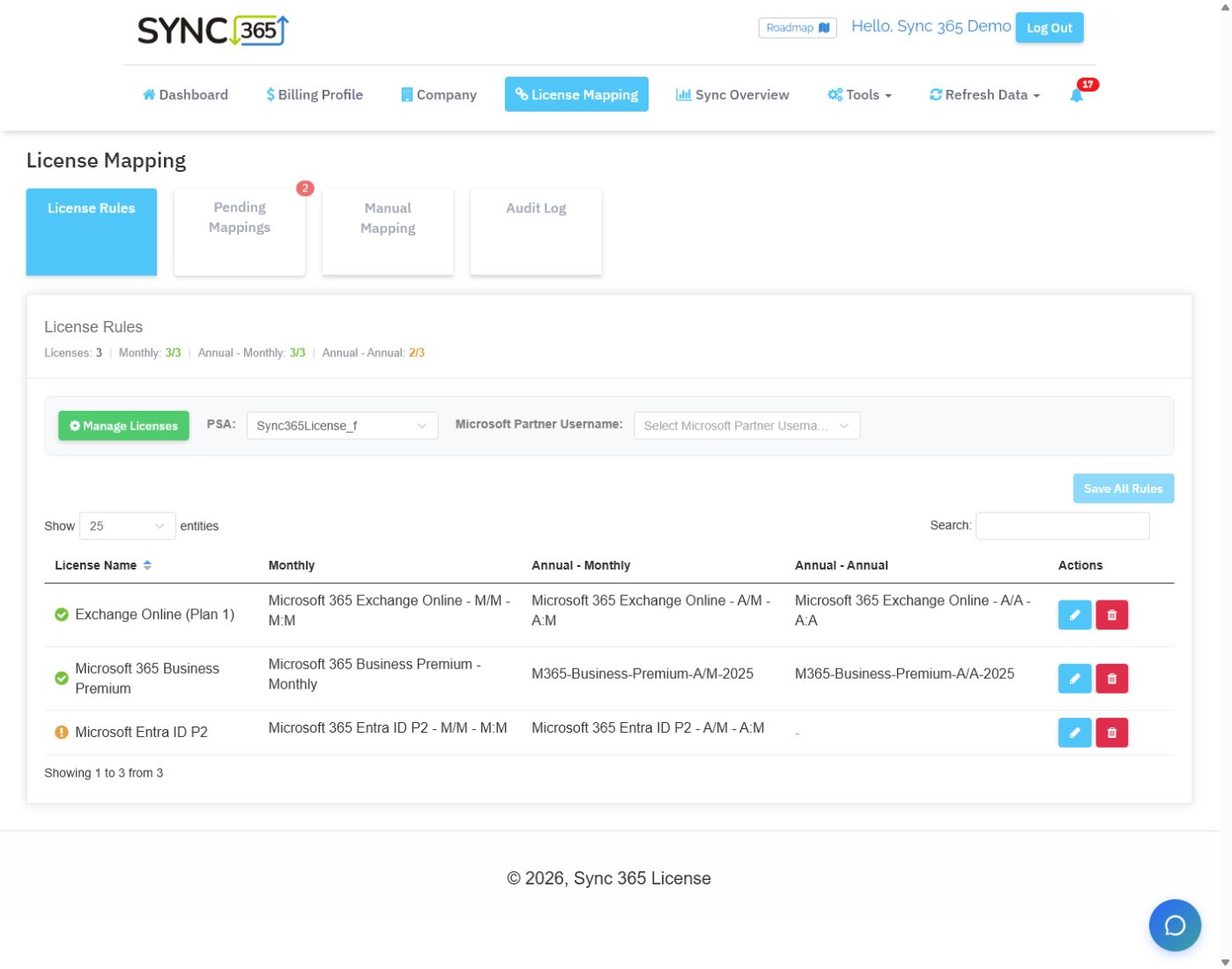
| New subscription mapping | Reusable AutoMap rulesAutoMap applies reusable Microsoft licence and commitment-term rules to matching new subscriptions, routing each to the configured billing profile and PSA destination automatically or pending review.[1] | Custom mapping codePowerShell scripts can reproduce term-aware subscription mapping, but the MSP must design and maintain SKU, term, customer, billing-profile, PSA-destination, approval, retry, and audit behaviour.[7][9][10] | A reusable mapping rule reduces the chance that a newly appearing subscription waits for another manual setup step before billing cutoff. |
|---|
| Custom recurring services | Configured recurring servicesA configured Microsoft or managed-user count can keep support, backup, antivirus, security, filtering, and other related recurring PSA lines aligned.[2] | Custom retrieval logicPowerShell scripts can calculate tailored recurring service quantities when the required source data and PSA write paths are available, but engineers must build the retrieval, commercial logic, customer configuration, review surface, and update path.[11][7] | MSPs often sell a service bundle around each user, not only the underlying Microsoft licence. |
|---|
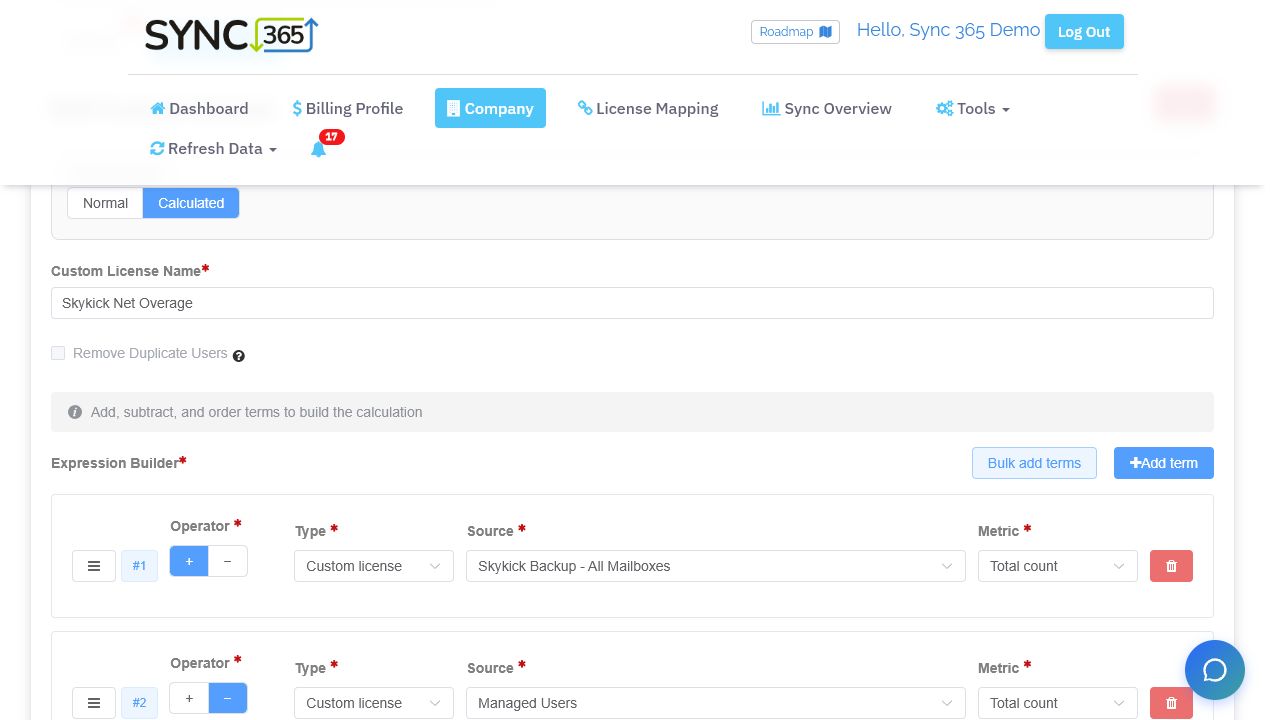
| Calculated quantities and overage | Configured formula builderCalculated custom licences add and subtract Microsoft licences, subscriptions, users, custom licences, or fixed values to produce bundles, included-seat deductions, and overage quantities.[3] | Internal calculation codePowerShell scripts can add, subtract, deduplicate, and filter source counts, but every expression rule, validation, preview, negative-value guard, test, and handover remains internal code.[11][7] | The correct quantity may be a formula—such as protected mailboxes minus users already included in the bundle—not a copied vendor count. |
|---|
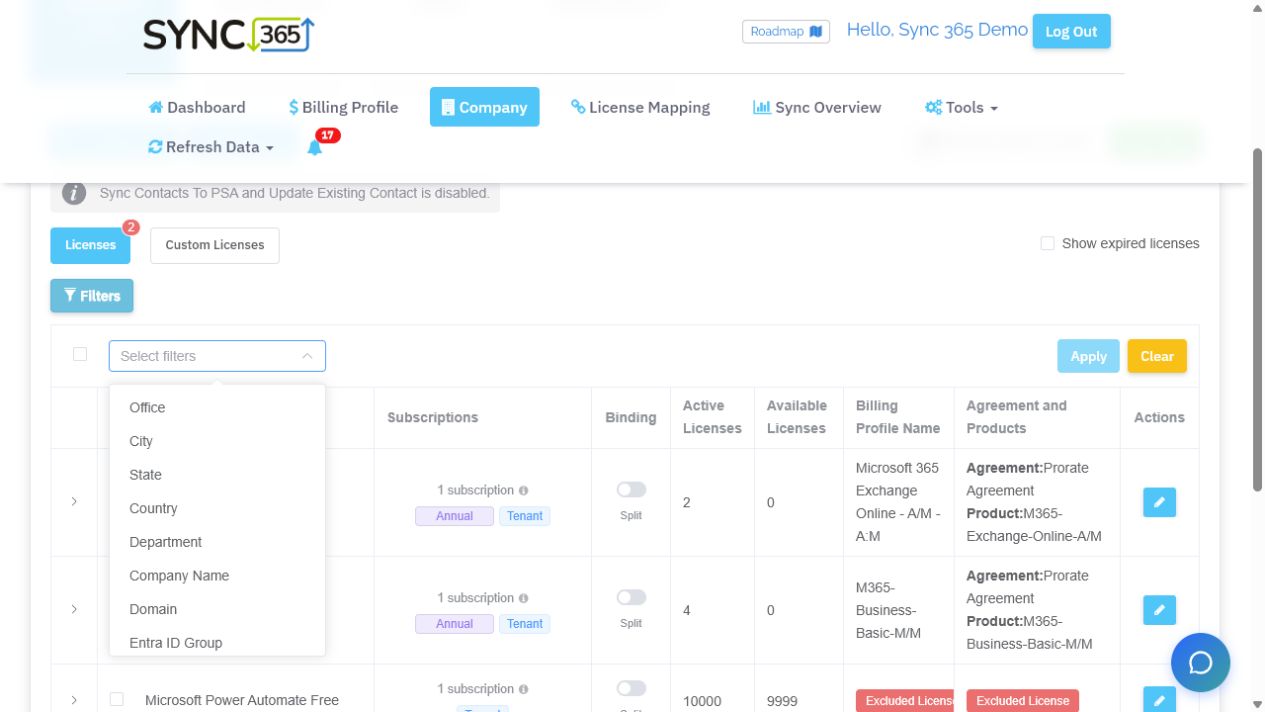
| Location, department, and split billing | Attribute-based split billingOffice, city, state, country, department, company, domain, Entra group, and custom attributes can split one tenant into separate billable populations and PSA records.[4] | Custom Graph queriesPowerShell scripts can query department, office, domain, group, and extension data when the correct Graph properties, paging, permissions, and customer mappings are implemented.[11][12][9] | One Microsoft tenant can represent several sites, departments, franchises, cost centres, or legal billing entities. |
|---|
| Azure consumption workflow | Reviewed Azure postingAzure consumption can move through billing profiles, markup, billing-period review, approval or configured auto-approval, and supported PSA posting.[5] | Custom reconciliation codePowerShell scripts can retrieve Partner Center billed and unbilled data, but the MSP must handle asynchronous reports, charge types, dates, mapping, markup, approvals, and PSA updates.[8][13] | Azure comparison should include data timing, markup, period review, approval, exception handling, and the final PSA record—not only ingestion. |
|---|
| PSA ownership and scope | Supported PSA updatesSync 365 supports ConnectWise Manage, Autotask PSA, and HaloPSA workflows while the PSA remains responsible for invoices.[6] | MSP-owned API integrationPowerShell scripts can target PSAs that expose suitable APIs, with the MSP owning credentials, idempotency, error handling, auditability, tests, and vendor API changes.[9][10] | Clear system ownership prevents overlapping automations and keeps finance confident about which record becomes the invoice. |
|---|