
Sync 365 Product Updates: January to June 2026

The first half of 2026 brought a substantial set of Sync 365 improvements for MSP billing teams. The biggest additions were calculated custom licences, centralised issue visibility, clearer subscription context, editable and more detailed reports, company tags, and new Azure consumption dashboards.
Together, these updates make it easier to answer three operational questions: What needs attention? What changed? What should be billed?
The six-month update at a glance
From January to June 2026, Sync 365 added or improved:
- calculated custom licences for derived recurring-service quantities;
- user, department, office, domain and account-status controls in custom calculations;
- centralised Issues & Actions and clearer paths from an error to the affected licence;
- dashboard visibility for licences without billing profiles;
- richer subscription, term, change and qualification context;
- editable monthly reports with optional subscription data;
- colour-coded company tags and tag-based report filters;
- portfolio-level and company-level Azure consumption dashboards;
- Azure Bill in Advance setup controls; and
- safer invoice-description formatting and Direct CSP administration.
Calculated custom licences bring complex recurring billing into Sync 365
The largest feature release in this period was calculated custom licences.
A calculated custom licence can combine trusted quantities using ordered addition and subtraction terms. Sources can include another custom licence, a Microsoft licence, a subscription, a user population or a fixed quantity. The result can then be mapped through a Sync 365 billing profile to the relevant product, service or item in a supported PSA.
This is useful when the quantity an MSP bills is not available as one clean Microsoft count.
A practical overage example
Imagine an MSP includes 50 managed mailboxes in a customer bundle but currently protects 63 mailboxes. A calculated custom licence can express the billable overage as:
63 protected mailboxes − 50 included mailboxes = 13 billable overage units
The PSA remains the system of record. Sync 365 calculates the intended quantity and keeps the relevant supported billing record aligned with the rule.
Filter the population that contributes to the calculation
Calculated custom licences can use filtered user populations. That includes attributes such as department, office and domain, which is useful when one Microsoft tenant contains several sites, brands, legal entities or billable groups.
The first-half release also added controls to:
- exclude disabled users from user-based custom-licence counts;
- require users to have an assigned licence where appropriate;
- remove duplicate users from overlapping populations;
- preview the usernames contributing to a calculated quantity; and
- bulk-add several expression terms with the same settings instead of creating each term separately.
These controls help turn a broad tenant user list into a count that matches the service the MSP actually sells.
For more examples, see calculated custom licence and overage billing and custom licence billing for recurring services.
Find billing gaps and sync issues faster
A recurring theme across the releases was moving from passive totals to actionable remediation.
Billing-profile gaps are now visible and easier to fix
Sync 365 added dashboard and company-list visibility for licences without billing profiles. Users can see the affected products, open the relevant company, and jump to the mapping view with missing mappings highlighted.
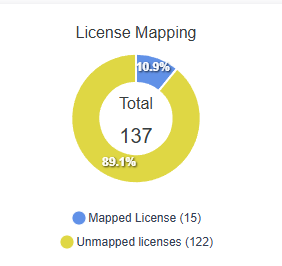

Counts also refresh after custom-licence changes, and Azure product subscriptions are excluded from licence billing-profile gap totals where they do not belong. That keeps the worklist focused on genuine mapping tasks.
Issues & Actions centralises operational errors
Under Tools → Health & Permissions, the Issues & Actions area provides a central place to review company, sync and scheduled-process problems. Search, sorting and pagination make it easier to find a particular issue across the full result set.
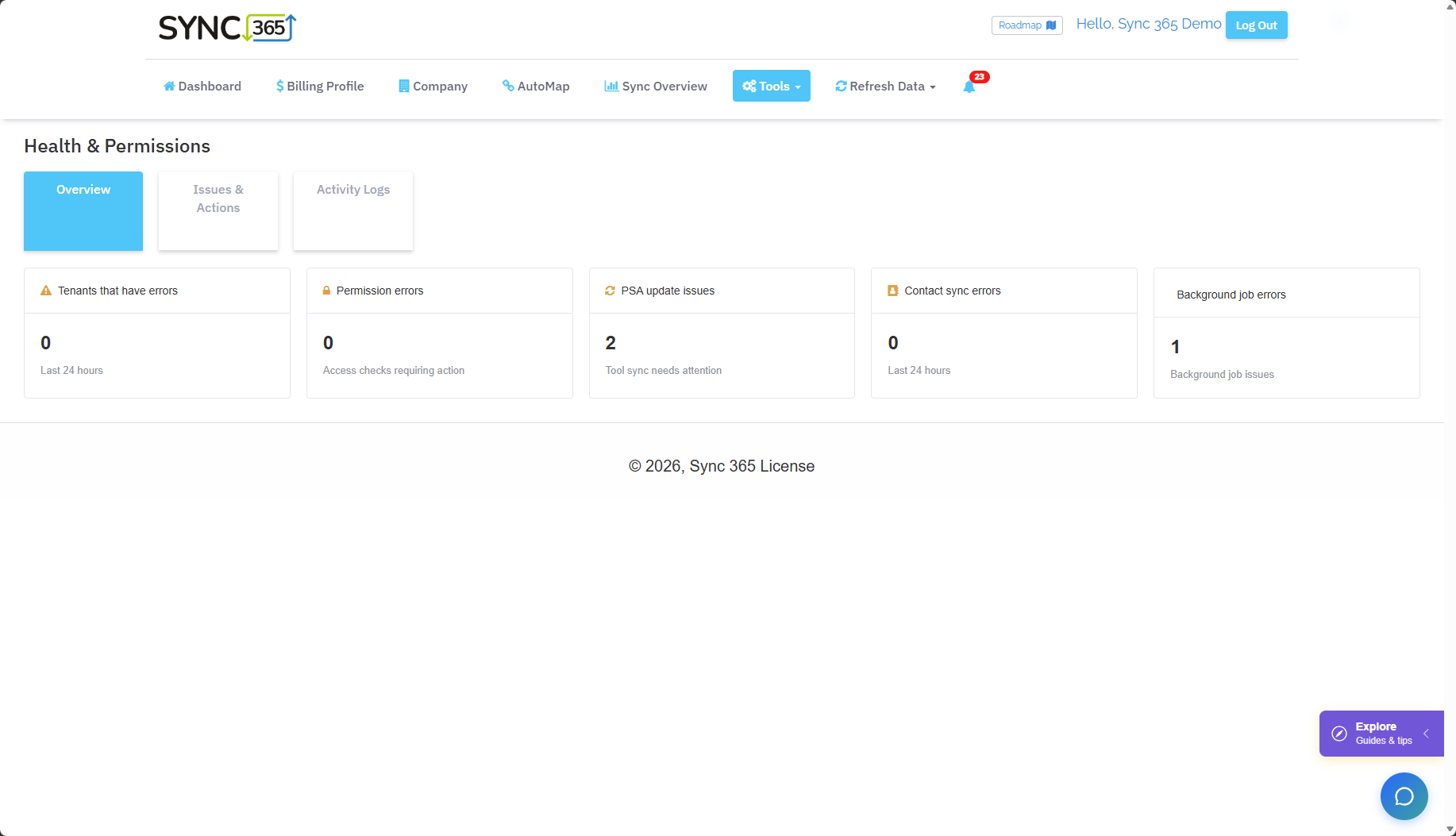
Recognised errors can include a direct knowledge-base link. Company errors are also shown in the context of the affected company, and later improvements link an issue to the affected mapped licence and highlight that row in Agreement Sync.
Instead of seeing that something failed and beginning a broad investigation, the user can move from the issue to the likely remediation point.
Direct CSP users also gained a tenant-level Exclude GDAP Alerts option. This suppresses GDAP-specific alerts where they are not relevant while leaving subscription loading active.
Subscription screens now explain more of the billing context
Licence and subscription records gained more detail throughout the first half of 2026. Depending on the relevant view, users can now see fields such as:
- commitment term;
- subscription ID;
- issue type and company error;
- annual-agreement context;
- change reason;
- the time a change was detected; and
- the name of an applied filter.
Sync Overview also gained Subscription ID and Term columns in Upcoming Expiries. This helps distinguish similar Microsoft products and commitments, especially when one customer has several subscriptions under the same product family.
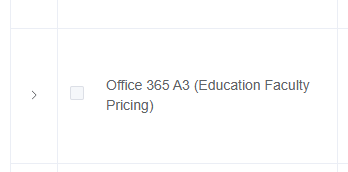
For Direct CSP subscriptions, Microsoft-provided friendly names now take precedence, with the previous Sync 365 name retained as a fallback. This gives users clearer product context, including education and nonprofit variants where Microsoft supplies that detail.
Change reasons and EST transitions are easier to understand
The subscription details panel can show a human-readable reason for a detected change and when Sync 365 detected it. The same context is available in Pending Mapping where action is required.
Direct CSP subscriptions scheduled to move to an Extended Service Term (EST) now show an EST indicator, including in export data. That gives billing and account teams clearer notice before the transition.
Qualification badges reduce cross-checking
Education, Government/GCC and Nonprofit badges appear on qualified companies, with qualification labels also shown on relevant licences.
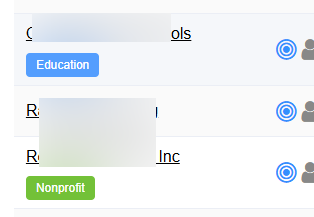
This matters when a portfolio contains commercial and qualified subscriptions that look similar but require different interpretation.
Monthly reports are more useful and easier to maintain
Saved monthly reports can now be edited. Previously, changing a configuration meant deleting the report and creating it again.
Report configuration also gained an option to include subscription information. Teams can choose whether a customer-facing or internal report needs subscription-level detail rather than using one fixed format for every audience.
Combined with the extra term, subscription and filter context in Sync Overview, this makes reports more useful for billing review, renewal preparation and account conversations.
Company tags add reusable customer segmentation
Admins can create company tags, optionally assign colours, and attach multiple tags to both standard and Azure companies.
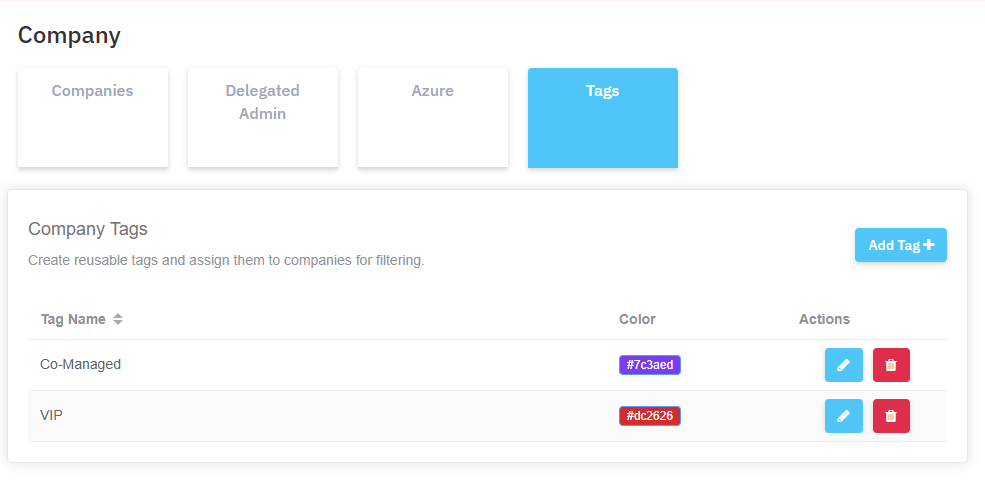
Tags can then be used to filter company lists, Sync Overview, monthly-report logs and Azure consumption reporting. For example, an MSP could review only strategic accounts, one service tier or the customers owned by a particular team without maintaining separate static reports.
New Azure dashboards turn consumption movement into a review workflow
June introduced new Azure consumption views at both portfolio and individual-company level.
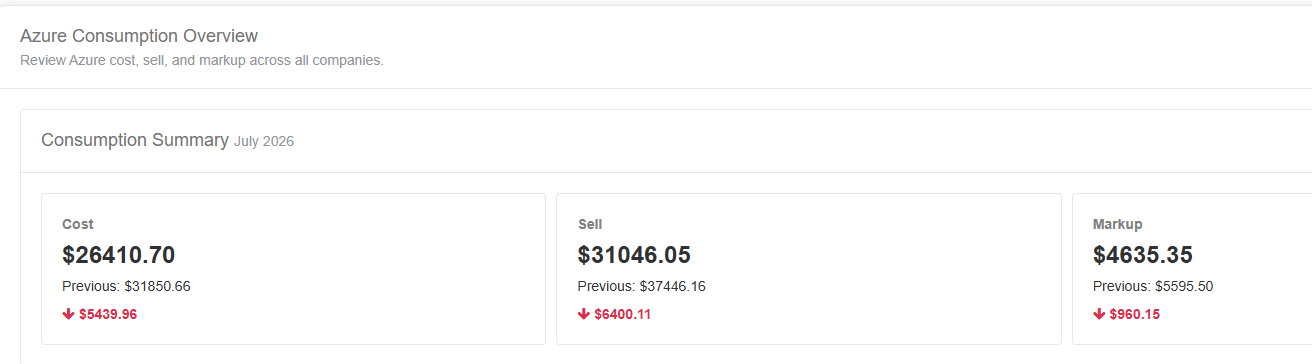
Review cost, sell and markup across all Azure companies
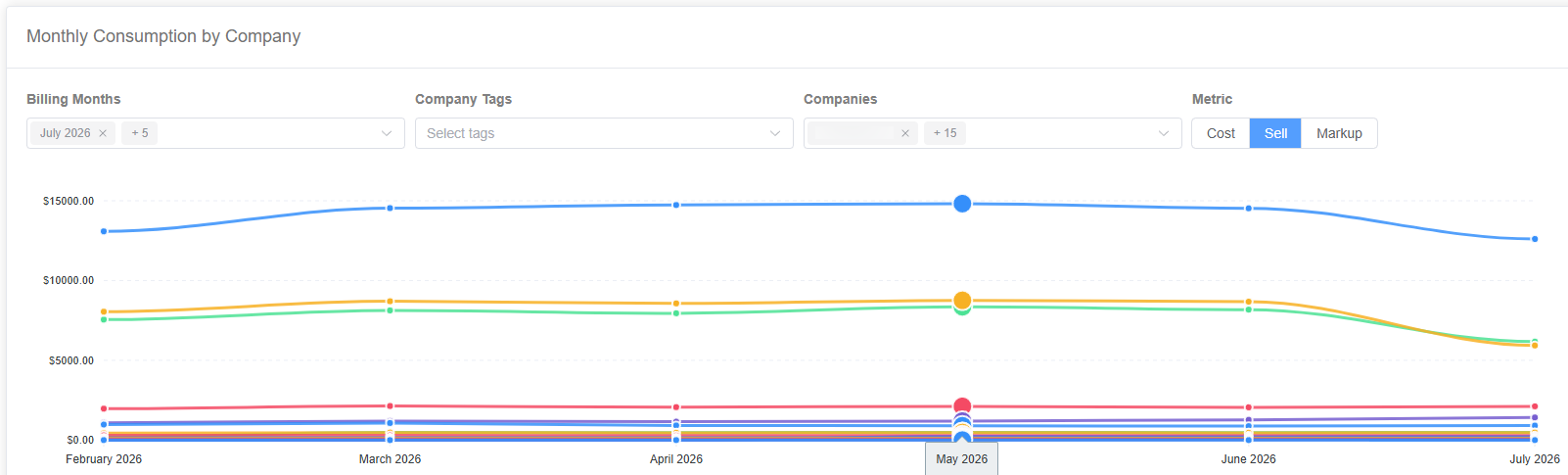
The all-company overview shows total cost, sell and markup, with comparison against the previous billing month. Users can filter the view by billing month, currency and metric, then select company trend lines for closer review.
Investigate an individual company
An individual Azure company dashboard shows monthly cost, sell, markup, usage quantity and billing-item count. Trends can be grouped by:
- product;
- type;
- category;
- resource; or
- subscription.
A billing-period comparison then classifies consumption as new, removed, increased, decreased or unchanged, with previous value, current value and difference.
That turns a month-on-month total into a practical exception list: first identify that a company changed, then identify which resources or subscriptions caused the movement.
Read more about automated Azure consumption billing for MSPs.
Azure Bill in Advance gained a clearer first-charge workflow
For MSPs using Azure Bill in Advance, Sync 365 added support for creating the initial advance PSA charge when the setting and amount are configured. The user can choose the intended billing period, and the action is removed after successful submission to reduce the risk of accidentally creating the initial charge twice.
See the full Azure Bill in Advance workflow.
Smaller controls that solve real billing-admin problems
Several narrower updates are also worth calling out:
- Pipe-separated usernames: invoice descriptions can use
name1|name2|name3instead of commas, avoiding ambiguous parsing when a display name contains a comma. Existing customers retain comma-separated output by default unless they change the setting. - More accurate filter context: filter names appear in relevant Sync Overview and export data, making it easier to understand why a licence was excluded or received an override.
- Better Direct CSP administration: Microsoft-friendly names, EST indicators, qualification badges and optional GDAP-alert suppression reduce manual cross-checking.
- Faster formula setup: bulk term creation makes larger calculated custom-licence expressions less repetitive to configure.
What these releases mean for MSP billing teams
The first-half releases are not one isolated feature. They improve the path from source data to a defensible billing action:
- See the exception in a dashboard, report or central issues list.
- Understand the context through subscription IDs, terms, filters, change reasons and qualification data.
- Open the affected record with missing or errored mappings highlighted.
- Apply the right billing logic, including calculated custom quantities and company-specific segmentation.
- Review the outcome through richer monthly reports and Azure consumption comparisons.
If your MSP is still reconciling Microsoft licences, Azure usage and custom recurring services in separate spreadsheets, see how Sync 365 works or start a free 30-day trial.